
Infotech Shop Floor
Overview
Managing labor, tracking progress, and keeping projects moving on the shop floor can be some of the biggest operational challenges for project‑based manufacturers. The Shop Floor for Projects extension brings structure, accountability, and real‑time visibility directly into Business Central—transforming how teams capture labor, record output, and monitor project health. By connecting shop floor activity to project costing and resource management, it gives organizations the clarity they need to stay on schedule, control costs, and make confident, data‑driven decisions.
BENEFITS
With Infotech Shop Floor for Projects, your shop floor activities are seamlessly integrated with Microsoft Dynamics 365 Business Central – no more manual data entry or guesswork. Resources can clock in and out of multiple jobs, track output quantities, and managers can review and adjust entries in real-time!
· Clock in/out of multiple jobs simultaneously with an intuitive interface
· Track both labor hours and output quantities directly from the shop floor
· Automatically post labor and output entries to your projects
· Real-time visibility into project labor costs and progress
· Support for setup time tracking and indirect activities
· Flexible labor entry adjustment system for managers
· Comprehensive reporting for labor details
· Seamlessly integrates with Business Central’s project management
· Infotech has been a Navision/Business Central partner for 30+ years
Clock Time
◴
Track Hours
⏲︎
Assign Jobs
☑︎
CONTACT TODAY
View us on Microsoft AppSource here: Infotech Shop Floor
For purchase pricing, please contact Infotech Consulting Group.
Backed by over three decades of experience, we understand what businesses need to succeed.
Our team is ready to meet your business needs with confidence and precision.
Key Scenarios
1. Project Labor Time Tracking
- Clock in/out functionality for project work
- Support for multiple projects/nestings simultaneously
- Track direct and indirect labor hours
- Real-time labor tracking against project tasks
2. Labor Management
- Adjust labor entries through the Labor Adjustment interface
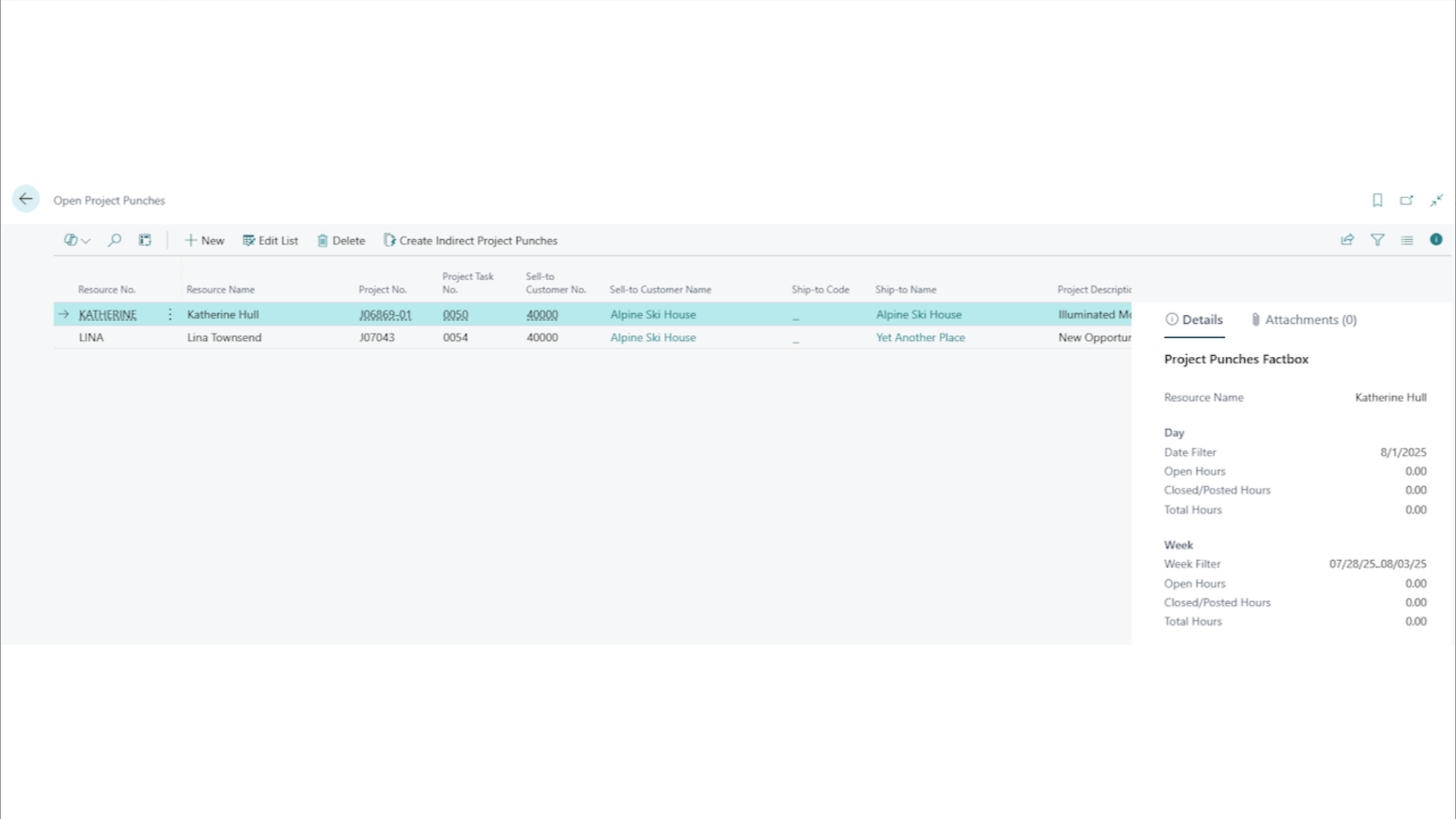
- View and manage open project punches
- Post labor consumption to projects
- Track setup and production time separately
3. Project Output Recording
- Post project output quantities
- Track completion of project tasks
- Monitor resource utilization
- Record actual vs. estimated time
4. Reporting and Analysis
- Detailed labor reports by resource and project
- Track project progress and labor costs
- Analysis of setup vs. production time
- Resource utilization reporting
Common Workflows
Resource Clock-In Process
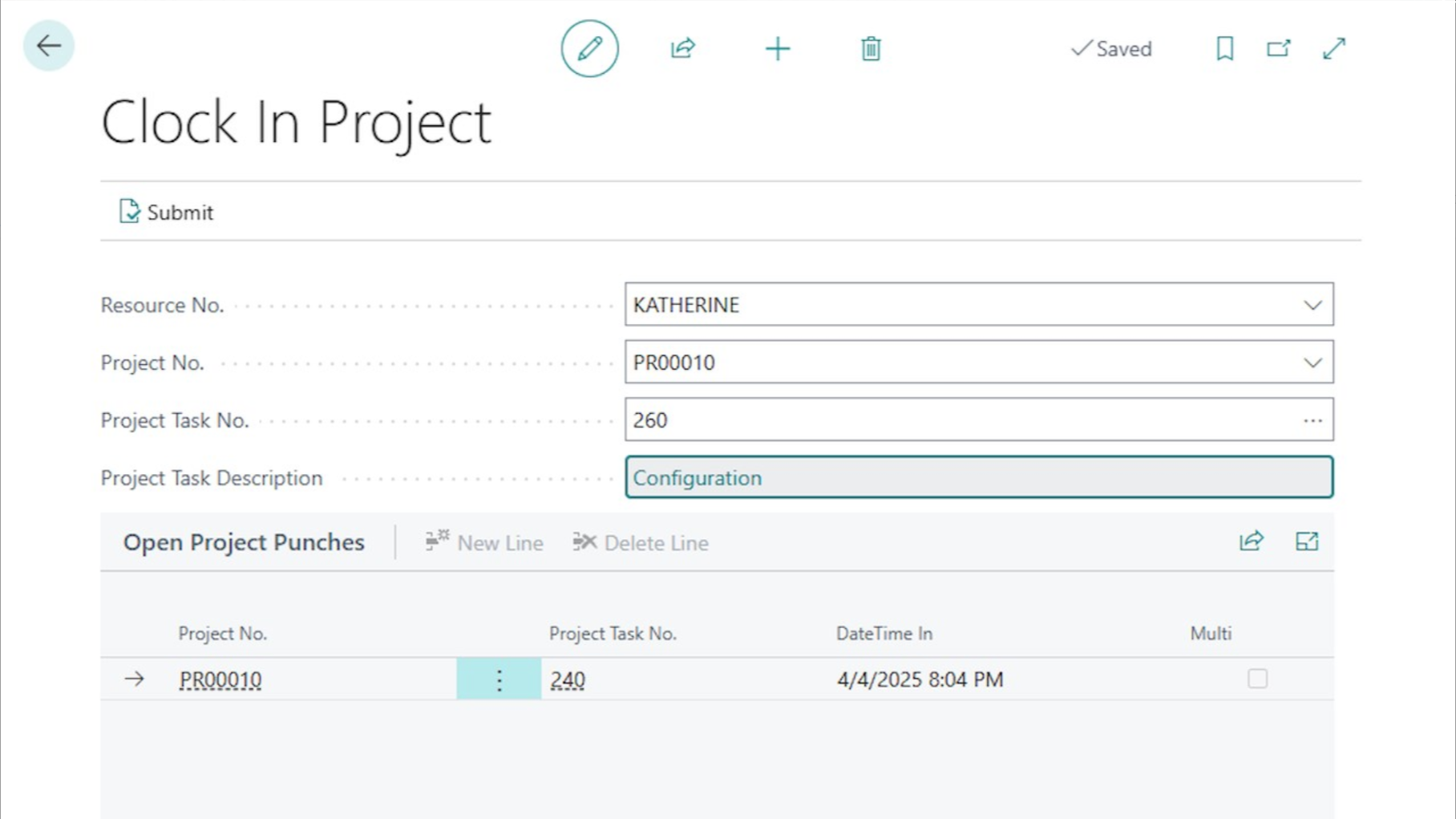
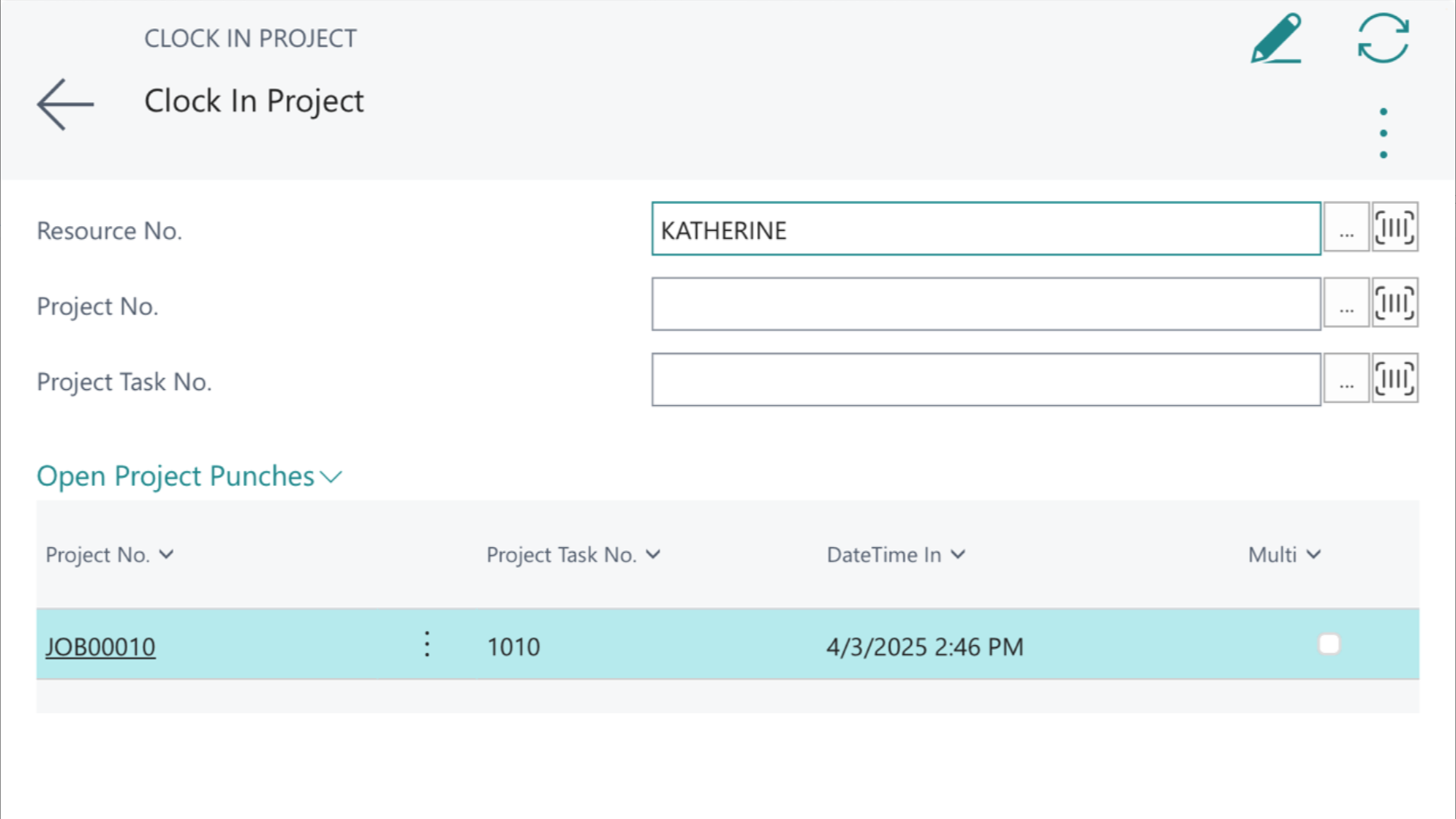
- Select “Clock In Project” or “Clock In Multiple Projects”
- Choose the project and task
- Start time is automatically recorded
- Begin work on project tasks
Labor Adjustment Process
- Access Labor Adjustment List
- Create new adjustment entry
- Specify resource, project, and adjusted hours
- Post adjustment to update project actuals
Output Recording
- Select “Post Output” for completed work
- Enter quantities and time spent
- System updates project progress
- Labor costs are allocated to the project
Integration Points
Fully integrated with Business Central Project Management. Connects with Resource Management. Links to Project Costing and Analysis. Interfaces with Time Sheet Management
User Guide
Access the free user guide for a complete walkthrough and answers to common questions.